












Atlas
- Accent
- Cyan
- Long and short
- #35B274 / #E04E4C
- Fonts
- IBM Plex Mono 62%, Inter 37%
#0A0D10#070A0D#0F1318#586270#E5E9EE#E04E4C#8B95A3#13181F#060C12#D9B24C#DEA138#00E5FF




The logo in every version and how to use it, then every colour, type style, button and panel in use on the pages today, with the pages that use each. All 17 logo files are here in SVG and PNG.
Atlas has a mark, a wordmark and two lockups of the two. Every version below is drawn as one filled outline with no strokes or live text, so it looks the same in every program and at every size. Use the files as they are.

Pick a background to see which version goes on it. The download buttons follow the version shown.
SVG for screens and print, PNG at 2400 px wide (1024 px square for the mark) for programs that cannot open SVG. The ZIP holds all of them.
How much space the logo needs, how small it can go, which version goes on which background and what not to do with it.
Keep half the height of the mark (x/2) free on every side. No text, edge or other logo goes inside it.

The mark is never smaller than 16 px, the size of a browser tab icon. The lockup is never narrower than 96 px; below that, use the mark alone.
Use colour where the ground is plain and dark or plain and light. On photographs, the sea and anything mid-toned, use one colour.
Ink COLOUR
Paper COLOUR

Sea WHITE
Photograph WHITE
White BLACK
Metal BLACK
Do not stretch or squash it
Do not recolour it
Do not add glows or shadows
Do not outline it
Do not rotate it
Do not set it on a busy pattern
Do not swap the mark and the wordmark
AtlasDo not set the name in another typeface
The mark is drawn on a 32 by 32 grid. The wordmark is Inter Tight Bold with the space between each pair of letters set by eye and measured. The lockup is sized from the mark.
#123049 to #060c13, lit from the upper left.#f4f8fb at the top to #8c97a4 at the bottom.The letters are spaced by the area of background between them, not by the distance between their edges. Each blue shape below is that area, measured up to a fixed depth into open letters such as L and T. All four are the same size, so A T L A S reads evenly.
As a share of the cap height, the distances between the letters' outer edges are 31%, 44%, 31% and 37%.
Every measure of the lockup comes from the height of the mark, x. The capitals are 0.4x tall, sit on the mark's centre line and start 0.375x after it.
Ink, Metal and Sea make the brand. The pages mark what is active in one of two ways: cyan on Atlas, Focus, Quant, Playbook, the VOLUME layout and the phone; white on Trade's other layouts and Options. Click a colour to copy its hex value.
CMYK values are converted from RGB without a print profile. Check them on a proof before printing.
Every colour on the pages, measured from each page as it renders, grouped by its job and named as the theme names it. A filled dot marks a page that uses it.
| Hex | Name in the theme | Atlas | Focus | Trade layouts | VOLUME layout | Quant | Playbook | Options | Phone | Guides | |
|---|---|---|---|---|---|---|---|---|---|---|---|
| #0A0D10 | --color-bg-base and translucent | ||||||||||
| #070A0D | --color-bg-inset | ||||||||||
| #0F1318 | --color-bg-panel and translucent | ||||||||||
| #13181F | --color-bg-elevated | ||||||||||
| #1A1F27 | --color-row-selected |
| Hex | Name in the theme | Atlas | Focus | Trade layouts | VOLUME layout | Quant | Playbook | Options | Phone | Guides | |
|---|---|---|---|---|---|---|---|---|---|---|---|
| #030405 | --color-focus-floor | ||||||||||
| #06080A | --color-focus-well | ||||||||||
| #121820 | --color-focus-raised | ||||||||||
| #000000 | --color-focus-keyline and translucent | ||||||||||
| #2A3440 | --color-focus-raised-lit | ||||||||||
| #222A33 | --color-focus-slab-lit |
| Hex | Name in the theme | Atlas | Focus | Trade layouts | VOLUME layout | Quant | Playbook | Options | Phone | Guides | |
|---|---|---|---|---|---|---|---|---|---|---|---|
| #1F262E | --color-border-hairline | ||||||||||
| #141A21 | --color-border-subtle |
| Hex | Name in the theme | Atlas | Focus | Trade layouts | VOLUME layout | Quant | Playbook | Options | Phone | Guides | |
|---|---|---|---|---|---|---|---|---|---|---|---|
| #586270 | --color-text-tertiary and translucent | ||||||||||
| #E5E9EE | --color-text-primary and translucent | ||||||||||
| #8B95A3 | --color-text-secondary and translucent |
| Hex | Name in the theme | Atlas | Focus | Trade layouts | VOLUME layout | Quant | Playbook | Options | Phone | Guides | |
|---|---|---|---|---|---|---|---|---|---|---|---|
| #00E5FF | --color-accent-cyan and translucent | ||||||||||
| #97FCE4 | --color-accent-options and translucent | ||||||||||
| #D9B24C | --color-accent-gold and translucent | ||||||||||
| #B4BDC7 | --color-accent-metal |
| Hex | Name in the theme | Atlas | Focus | Trade layouts | VOLUME layout | Quant | Playbook | Options | Phone | Guides | |
|---|---|---|---|---|---|---|---|---|---|---|---|
| #E04E4C | --color-status-crit and translucent | ||||||||||
| #35B274 | --color-status-ok and translucent | ||||||||||
| #1C7449 | --color-long-fill | ||||||||||
| #0D1A14 | --color-long-tint | ||||||||||
| #D8F3E4 | --color-sweep-text |
| Hex | Name in the theme | Atlas | Focus | Trade layouts | VOLUME layout | Quant | Playbook | Options | Phone | Guides | |
|---|---|---|---|---|---|---|---|---|---|---|---|
| #2DD89C | --cl-ask and translucent | ||||||||||
| #D44A5F | --cl-bid and translucent | ||||||||||
| #E5E5E5 | --cl-plate | ||||||||||
| #2C4F3E | --cl-buy | ||||||||||
| #171717 | --cl-plate-ink | ||||||||||
| #2BCB8E | --cl-buy-ink |
| Hex | Name in the theme | Atlas | Focus | Trade layouts | VOLUME layout | Quant | Playbook | Options | Phone | Guides | |
|---|---|---|---|---|---|---|---|---|---|---|---|
| #DEA138 | --color-status-warn |
| Hex | Name in the theme | Atlas | Focus | Trade layouts | VOLUME layout | Quant | Playbook | Options | Phone | Guides | |
|---|---|---|---|---|---|---|---|---|---|---|---|
| #0C2436 | --color-globe-ocean | ||||||||||
| #3DFFA8 | map layer: Aurora | ||||||||||
| #FFB020 | map layer: Earthquakes | ||||||||||
| #FF3B4E | map layer: Conflict and translucent | ||||||||||
| #E5F6FF | map layer: Aircraft | ||||||||||
| #9EE8FF | map layer: Satellites | ||||||||||
| #8FB8D8 | map layer: Wind | ||||||||||
| #FF6A2B | map layer: Fires | ||||||||||
| #FF8A3D | map layer: World events |
| Hex | Name in the theme | Atlas | Focus | Trade layouts | VOLUME layout | Quant | Playbook | Options | Phone | Guides | |
|---|---|---|---|---|---|---|---|---|---|---|---|
| #0B0E12 | --pro-panel | ||||||||||
| #0A0D11 | --pro-plot and translucent | ||||||||||
| #0D1116 | --pro-title-top |
| Hex | Name in the theme | Atlas | Focus | Trade layouts | VOLUME layout | Quant | Playbook | Options | Phone | Guides | |
|---|---|---|---|---|---|---|---|---|---|---|---|
| #2C271C | |||||||||||
| #060C12 | and translucent | ||||||||||
| #FFFFFF | and translucent | ||||||||||
| #F4F7FA | |||||||||||
| #9EEAFF | and translucent |
Contrast ratios against the page colour, worked out on this page from the hex values. Body text needs 4.5:1 (AA); text at 18 px and larger needs 3:1.
A screen is mostly dark surfaces and grey text, so the few coloured parts are the ones the trader sees first.
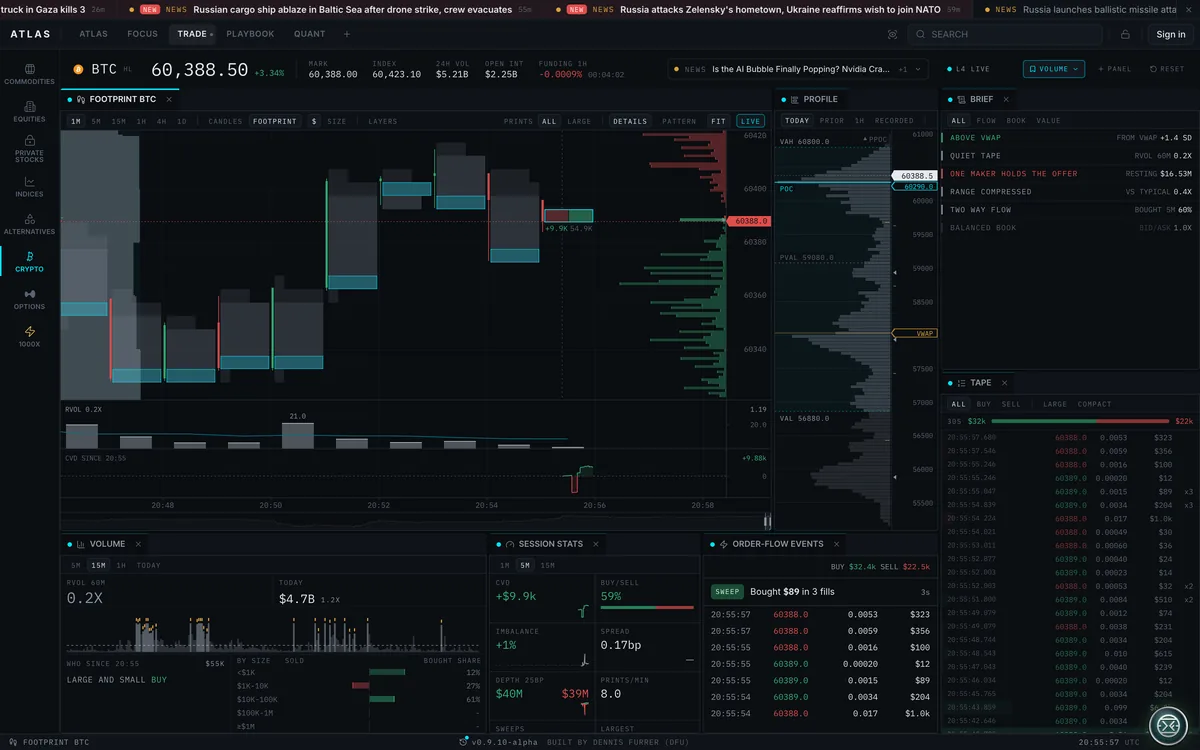
Most pages mark what is selected, focused or live in cyan. Trade's layouts other than VOLUME and the options board draw it in the text's white instead, and keep cyan only for the live dots.
The metal gradient belongs to the mark and the wordmark. In the interface it appears only as flat metal grey on icons and quiet controls.
#d9b24c for one highlighted mode (1000X) and the VWAP lineTwo pairs are in use. Most pages draw long and short in #35b274 and #e04e4c. Trade's layouts other than VOLUME and the options board use the exchange pair, #2dd89c and #d44a5f. Red also marks critical alerts and conflict on the Atlas.
Amber warns: a stale feed, a wide spread, an order near liquidation, military activity. Blue informs. The map and the lists add their own colours for kinds of thing: map layers, vessel kinds, pins.
Never use cyan and green or red on the same element. Cyan says where the trader is; green and red say what the market is doing.
Three families with separate jobs, plus a handwritten face for the walk-throughs. Inter Tight for display, the wordmark and panel titles. Inter for text and controls, and for figures on Trade and Options. IBM Plex Mono for figures and labels on the other pages, and for the market bar, the headline strip and the status line everywhere. All three are served by the app; nothing loads from a third party.
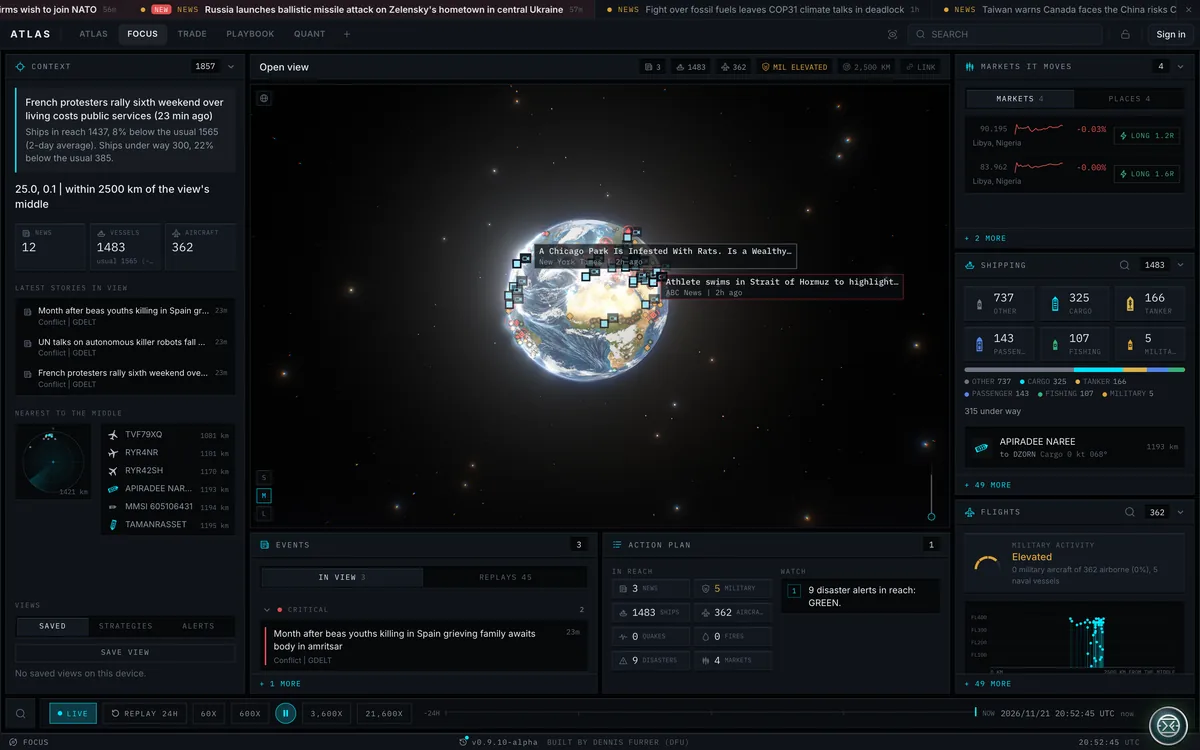
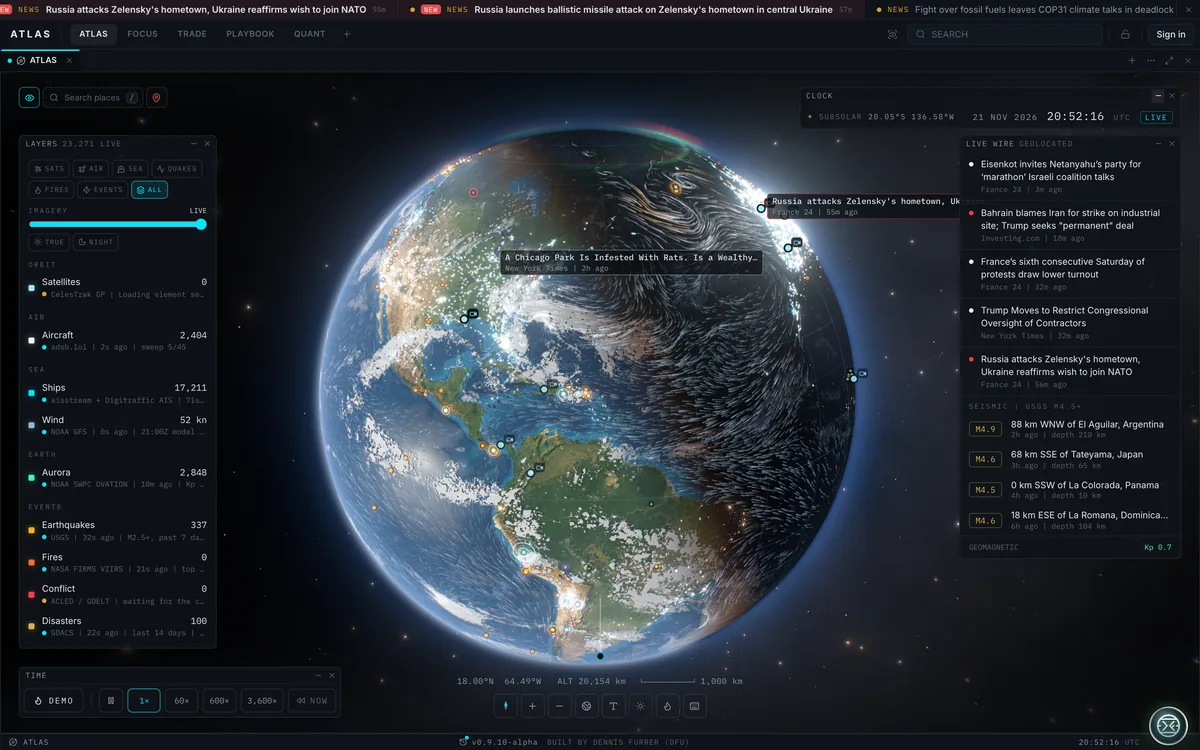
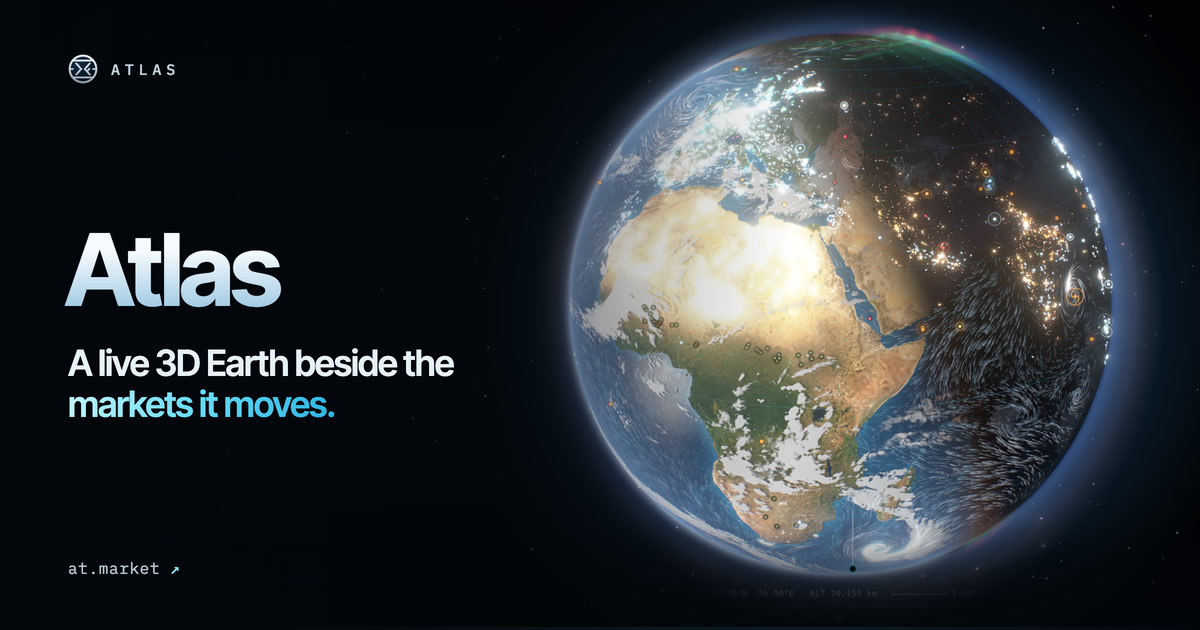
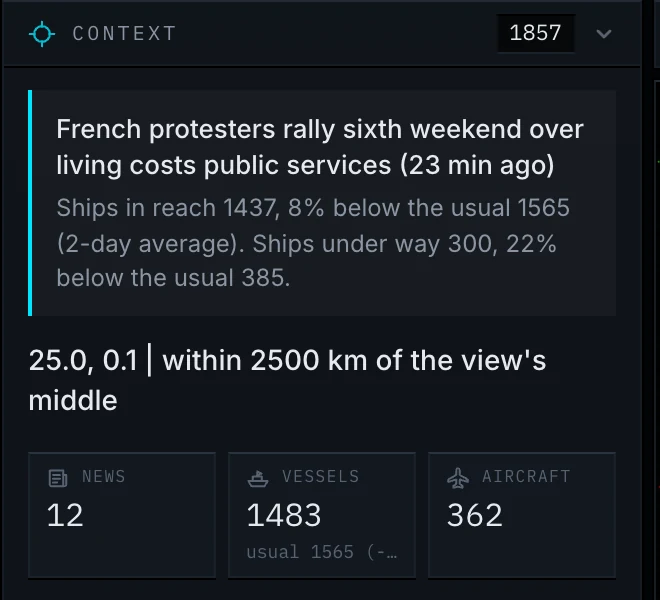
A live 3D Earth with ships, flights, weather and news beside the markets they move, an advanced trading terminal and strategies that run around the clock.
Secondary text for descriptions, help and empty states, in the secondary grey.
This page, the guides, Terms and Privacy.
Every combination of family, size, weight, spacing and case with enough text on the pages to count, measured from each page as it renders. A filled dot marks a page that uses it.
| Sample | Family | Size / weight | Spacing | Case | Atlas | Focus | Trade layouts | VOLUME layout | Quant | Playbook | Options | Phone | Guides |
|---|---|---|---|---|---|---|---|---|---|---|---|---|---|
| Ships in reach, 60,280.50 | IBM Plex Mono | 24 / 400 | 0.00em | Mixed | |||||||||
| Ships in reach, 60,280.50 | IBM Plex Mono | 14 / 400 | 0.00em | Mixed | |||||||||
| Ships in reach, 60,280.50 | IBM Plex Mono | 13 / 400 | 0.00em | Mixed | |||||||||
| Ships in reach, 60,280.50 | IBM Plex Mono | 12 / 400 | 0.00em | Mixed | |||||||||
| Ships in reach, 60,280.50 | IBM Plex Mono | 11 / 500 | 0.00em | Mixed | |||||||||
| TAKE PROFIT 60,280.50 | IBM Plex Mono | 11 / 400 | 0.12em | Capitals | |||||||||
| Ships in reach, 60,280.50 | IBM Plex Mono | 11 / 400 | 0.00em | Mixed | |||||||||
| TAKE PROFIT 60,280.50 | IBM Plex Mono | 11 / 400 | 0.00em | Capitals | |||||||||
| TAKE PROFIT 60,280.50 | IBM Plex Mono | 11 / 400 | 0.08em | Capitals | |||||||||
| Ships in reach, 60,280.50 | IBM Plex Mono | 11 / 400 | 0.08em | Mixed | |||||||||
| TAKE PROFIT 60,280.50 | IBM Plex Mono | 1 / 400 | 0.12em | Capitals | |||||||||
| Ships in reach, 60,280.50 | IBM Plex Mono | 1 / 400 | 0.00em | Mixed | |||||||||
| TAKE PROFIT 60,280.50 | IBM Plex Mono | 1 / 400 | 0.16em | Capitals | |||||||||
| TAKE PROFIT 60,280.50 | IBM Plex Mono | 1 / 400 | 0.00em | Capitals | |||||||||
| TAKE PROFIT 60,280.50 | IBM Plex Mono | 1 / 400 | 0.08em | Capitals | |||||||||
| Ships in reach, 60,280.50 | IBM Plex Mono | 1 / 400 | 0.08em | Mixed | |||||||||
| TAKE PROFIT 60,280.50 | IBM Plex Mono | 9 / 400 | 0.08em | Capitals | |||||||||
| TAKE PROFIT 60,280.50 | IBM Plex Mono | 9 / 400 | 0.12em | Capitals | |||||||||
| Ships in reach, 60,280.50 | IBM Plex Mono | 9 / 400 | 0.00em | Mixed | |||||||||
| TAKE PROFIT 60,280.50 | IBM Plex Mono | 9 / 400 | 0.16em | Capitals | |||||||||
| TAKE PROFIT 60,280.50 | IBM Plex Mono | 9 / 400 | 0.00em | Capitals | |||||||||
| Ships in reach, 60,280.50 | Inter | 18 / 400 | 0.00em | Mixed | |||||||||
| Ships in reach, 60,280.50 | Inter | 16 / 400 | 0.00em | Mixed | |||||||||
| Ships in reach, 60,280.50 | Inter | 15 / 400 | 0.00em | Mixed | |||||||||
| Ships in reach, 60,280.50 | Inter | 14 / 500 | 0.00em | Mixed | |||||||||
| Ships in reach, 60,280.50 | Inter | 14 / 400 | 0.00em | Mixed | |||||||||
| Ships in reach, 60,280.50 | Inter | 13 / 500 | 0.00em | Mixed | |||||||||
| TAKE PROFIT 60,280.50 | Inter | 13 / 400 | 0.04em | Capitals | |||||||||
| Ships in reach, 60,280.50 | Inter | 13 / 400 | 0.00em | Mixed | |||||||||
| TAKE PROFIT 60,280.50 | Inter | 13 / 400 | 0.00em | Capitals | |||||||||
| TAKE PROFIT 60,280.50 | Inter | 13 / 600 | 0.16em | Capitals | |||||||||
| Ships in reach, 60,280.50 | Inter | 12 / 600 | 0.00em | Mixed | |||||||||
| Ships in reach, 60,280.50 | Inter | 12 / 400 | 0.00em | Mixed | |||||||||
| TAKE PROFIT 60,280.50 | Inter | 12 / 400 | 0.00em | Capitals | |||||||||
| Ships in reach, 60,280.50 | Inter | 12 / 500 | 0.00em | Mixed | |||||||||
| TAKE PROFIT 60,280.50 | Inter | 12 / 400 | 0.12em | Capitals | |||||||||
| Ships in reach, 60,280.50 | Inter | 11 / 400 | 0.00em | Mixed | |||||||||
| Ships in reach, 60,280.50 | Inter | 1 / 400 | 0.00em | Mixed | |||||||||
| Ships in reach, 60,280.50 | Inter | 1 / 400 | 0.04em | Mixed | |||||||||
| TAKE PROFIT 60,280.50 | Inter | 1 / 400 | 0.04em | Capitals | |||||||||
| TAKE PROFIT 60,280.50 | Inter | 9 / 600 | 0.04em | Capitals | |||||||||
| TAKE PROFIT 60,280.50 | Inter Tight | 13 / 700 | 0.22em | Capitals | |||||||||
| TAKE PROFIT 60,280.50 | Inter Tight | 11 / 600 | 0.08em | Capitals | |||||||||
| TAKE PROFIT 60,280.50 | Inter Tight | 11 / 600 | 0.04em | Capitals | |||||||||
| TAKE PROFIT 60,280.50 | Inter Tight | 1 / 600 | 0.04em | Capitals | |||||||||
| TAKE PROFIT 60,280.50 | Inter Tight | 9 / 600 | 0.06em | Capitals |
The logo files in the places they are used most: app icons, a browser tab, a social profile and a business card.
 Atlas
Macro trading and global intelligence. A live 3D Earth beside the markets it moves.
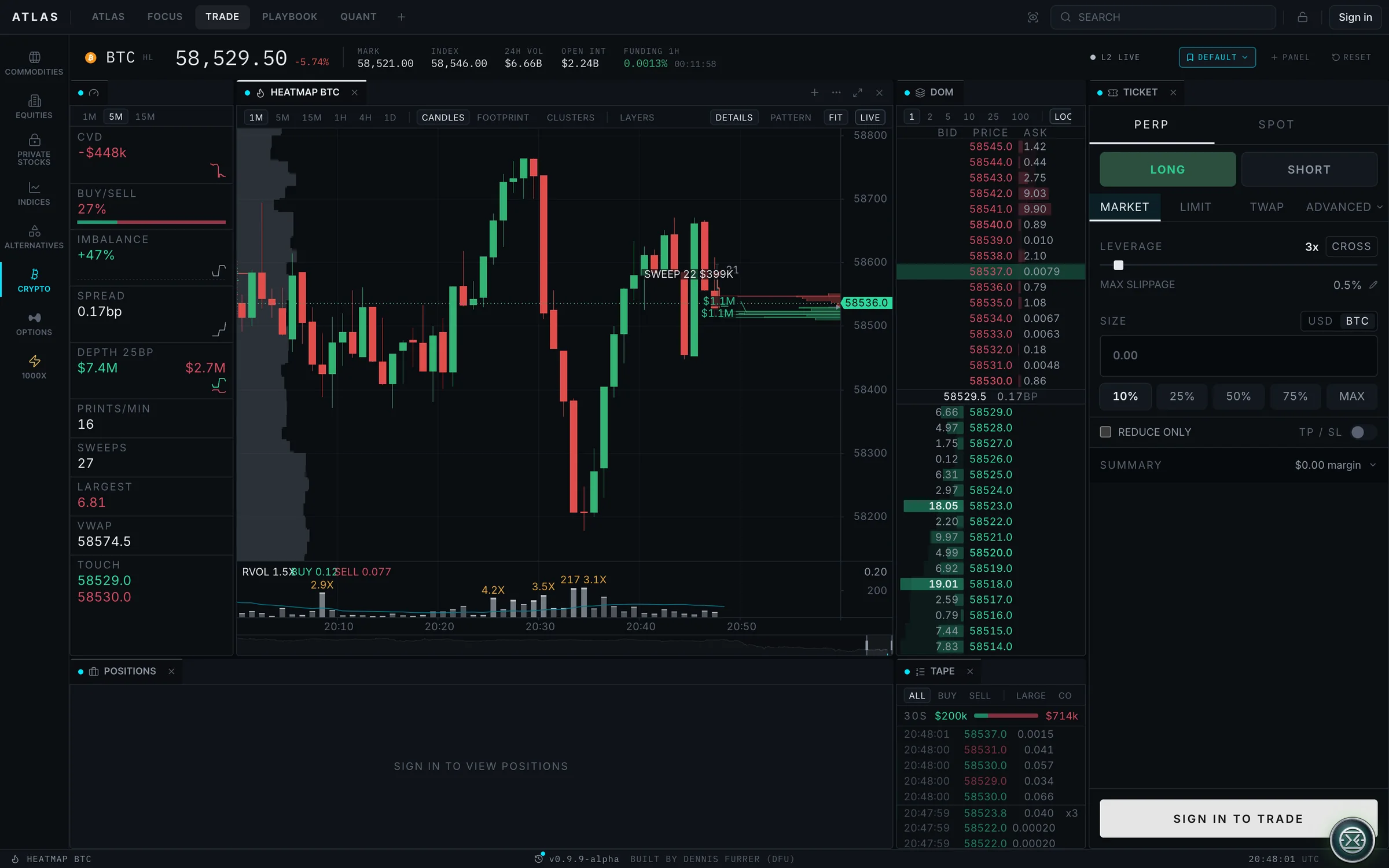
The panels of the app as they are now, captured from the live pages at 2x and shown at the same scale as each other. Then every button and every kind of panel in use, with the pages that use each.

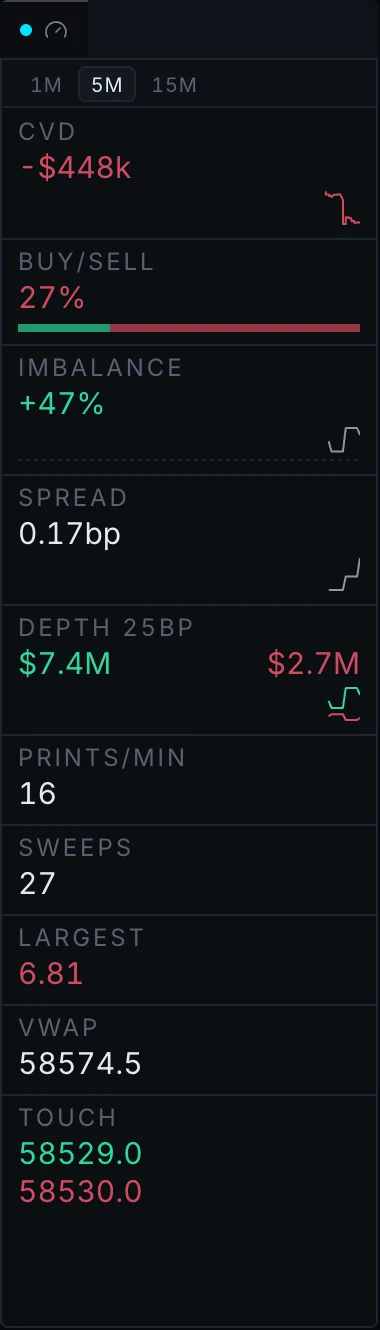
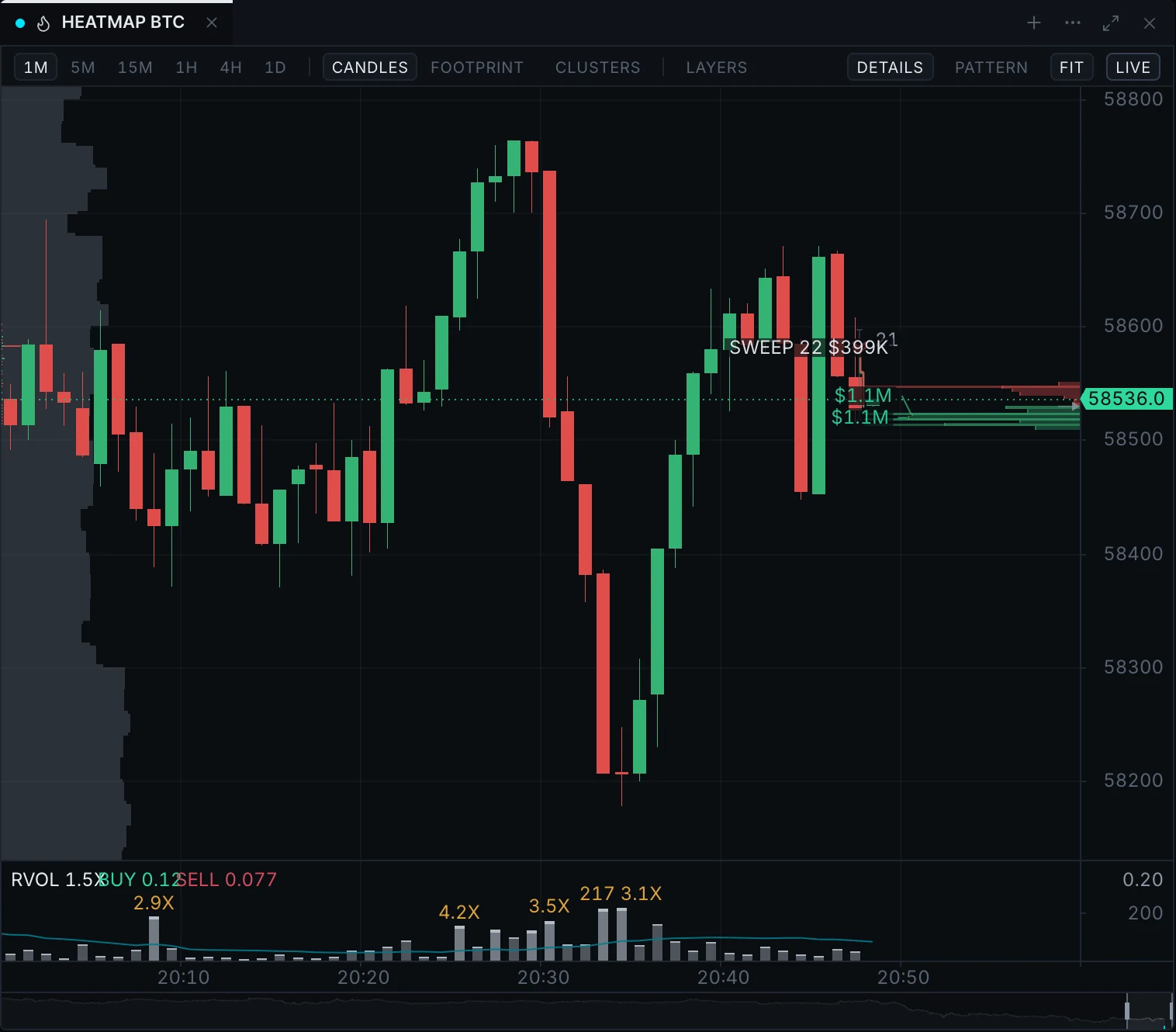
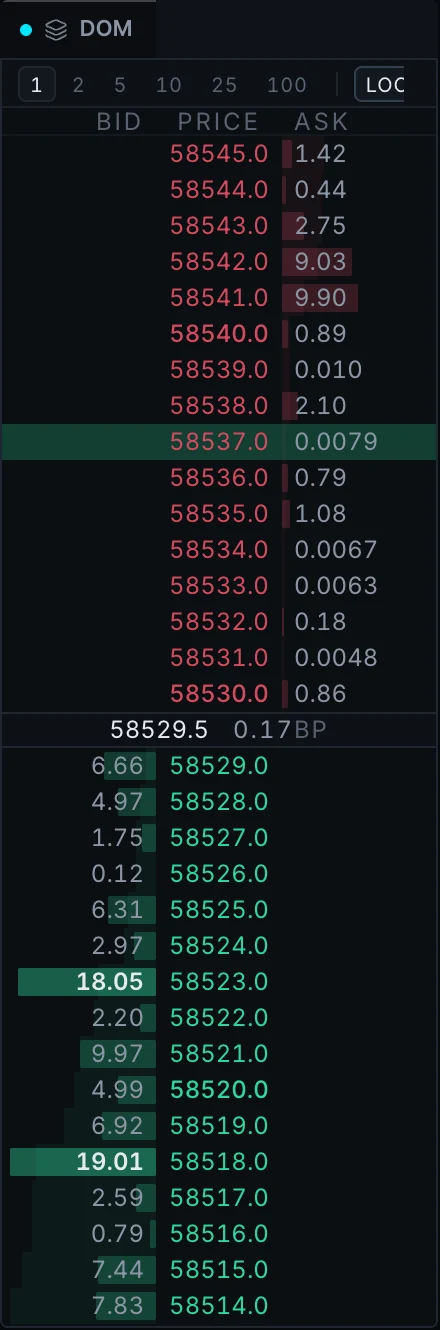
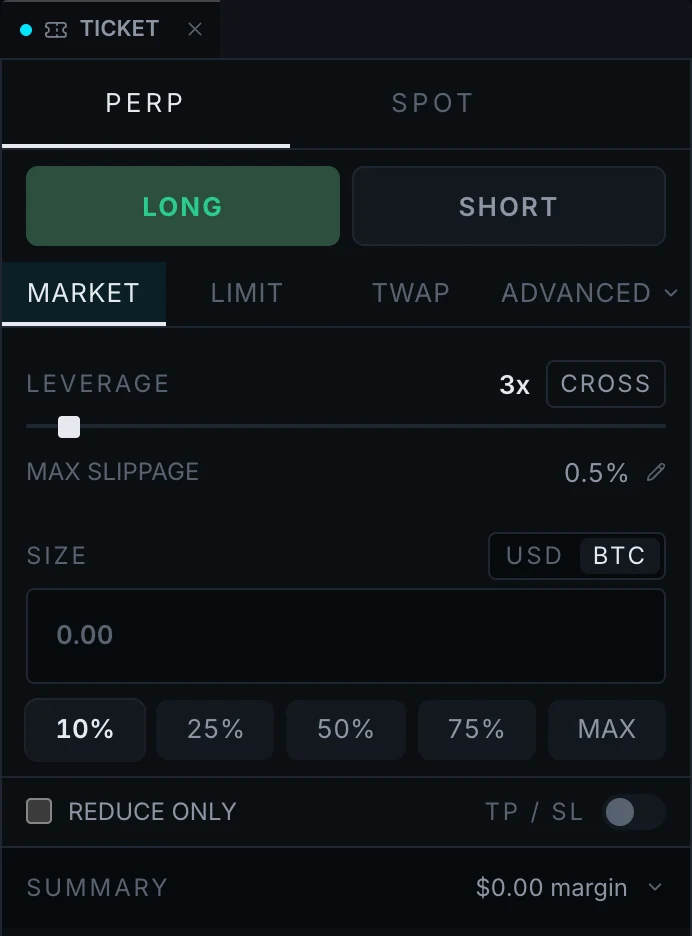
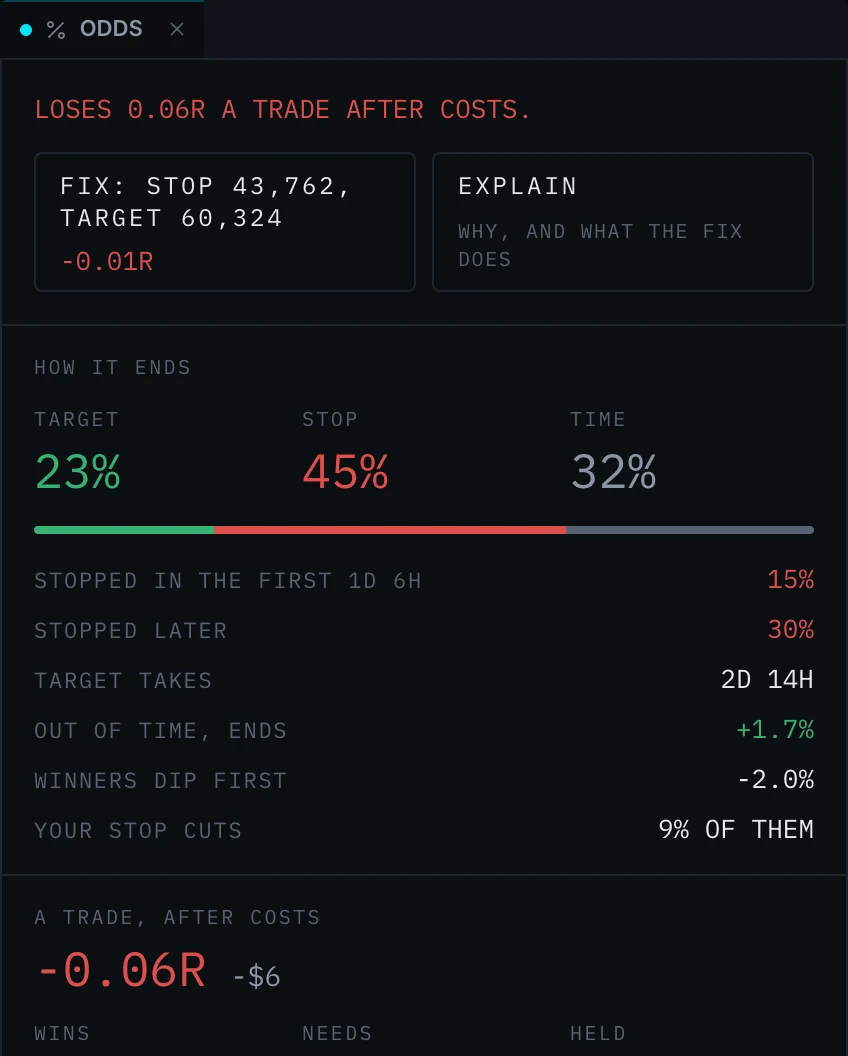
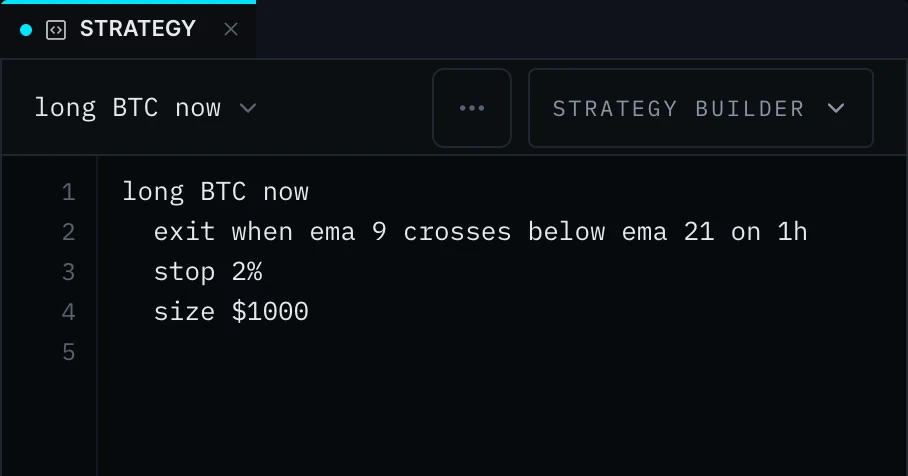
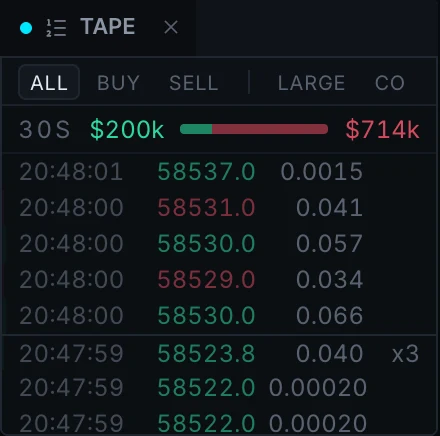
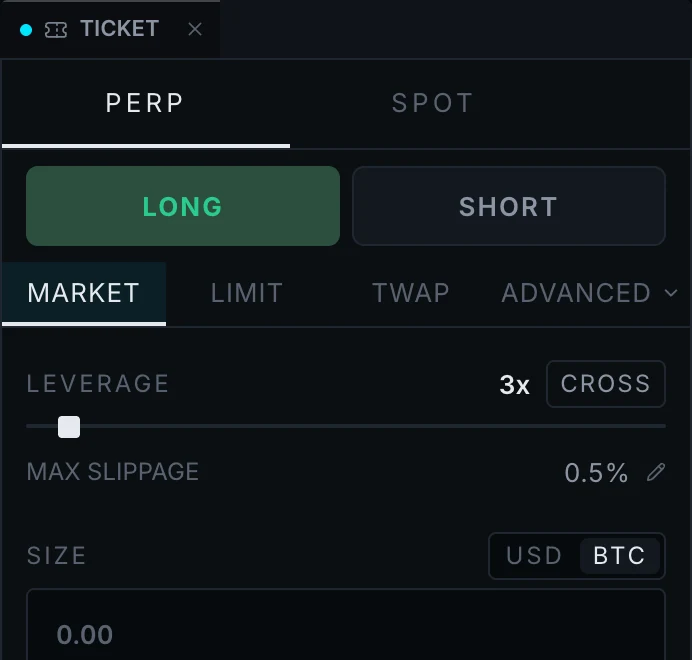
Five kinds of panel, each on its own pages.
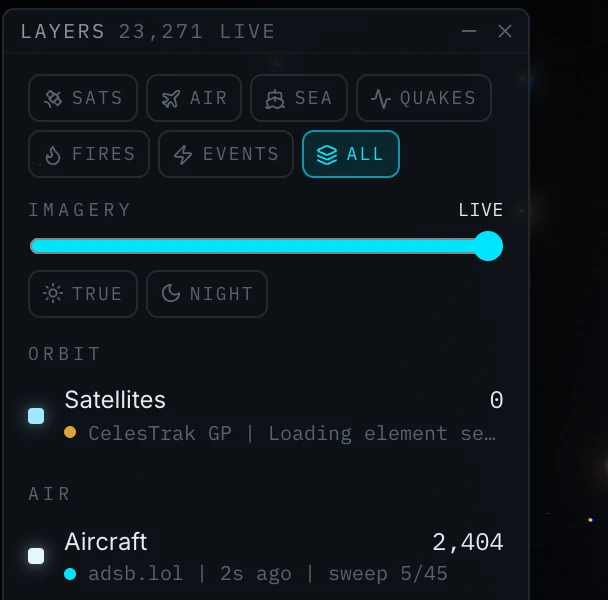
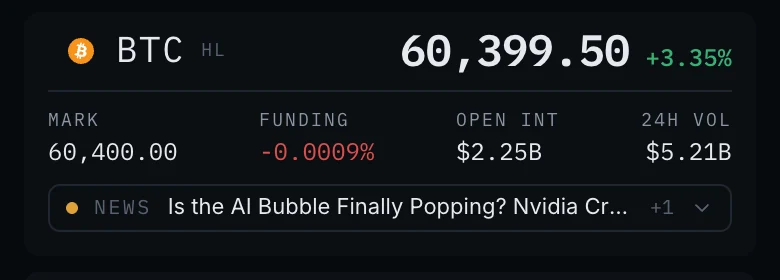

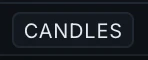
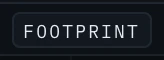
Every distinct button look on the pages, one picture each, taken from the page where it is largest. Under each: the pages that use it, then its fill, words, edge, corners and type. Filled buttons first, then outlined, raised and text-only ones.

























Spacing, corner radius, breakpoints and motion, with the names used in the app's theme.
Every corner radius on the pages. Round marks dots, pills and the floating button.
| Corner | Atlas | Focus | Trade layouts | VOLUME layout | Quant | Playbook | Options | Phone | Guides | |
|---|---|---|---|---|---|---|---|---|---|---|
| 1px | ||||||||||
| 2px | ||||||||||
| 4px | ||||||||||
| 6px | ||||||||||
| 8px | ||||||||||
| Round |
What every page shares today.
Every element shows a figure or helps read one. Panels are separated by hairlines; Focus alone raises them as slabs, and the Atlas floats them over the globe.
Each page marks what is active in one colour, cyan or white. Everything else is greys, metal and the colours of long and short.
Labels say what a thing is or does: CLOSE, SIZE, TAKE PROFIT. Capitals for labels and buttons, sentences for help text. No slogans in the interface.
Spacing comes in 2, 4, 6, 8, 10 and 12 px steps and up. Figures have tabular digits so columns line up and values do not jump as they change.
A value that updates pings once and stops. Live dots and the radar's sweep are the only things that move without a change.
The 3D Earth is the home of Atlas. Alerts, ships, flights and weather are shown where they happen, next to the markets they affect.
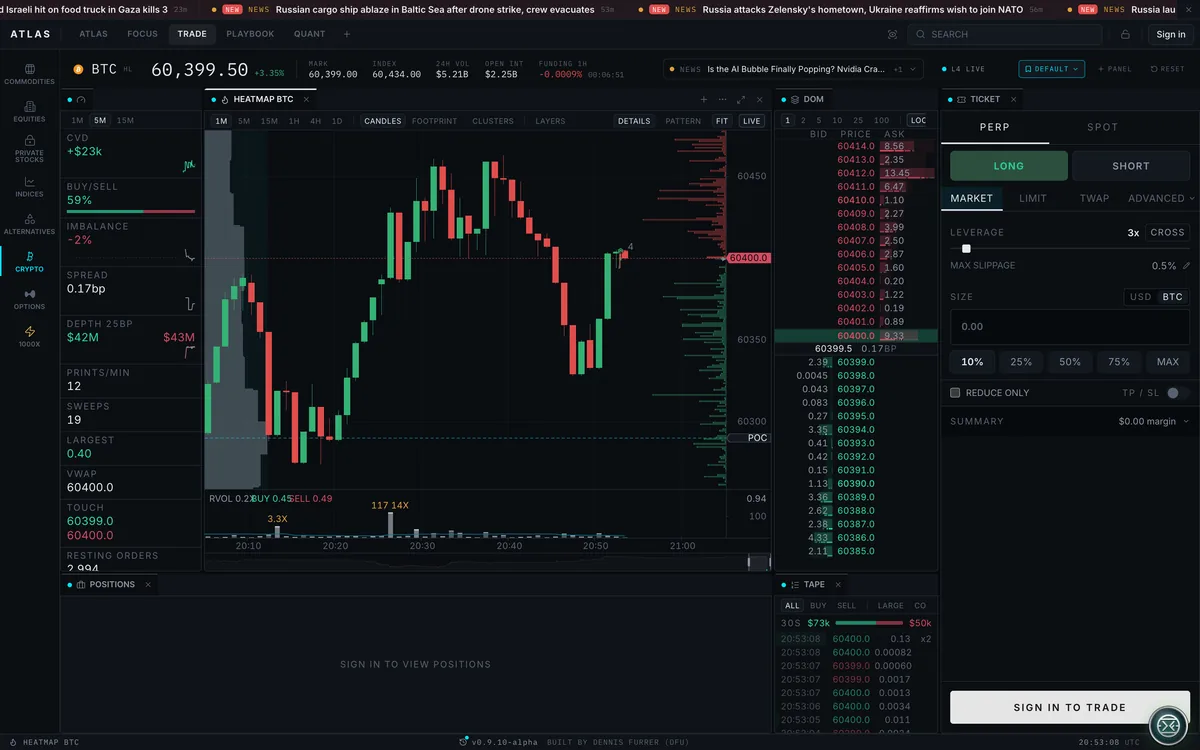
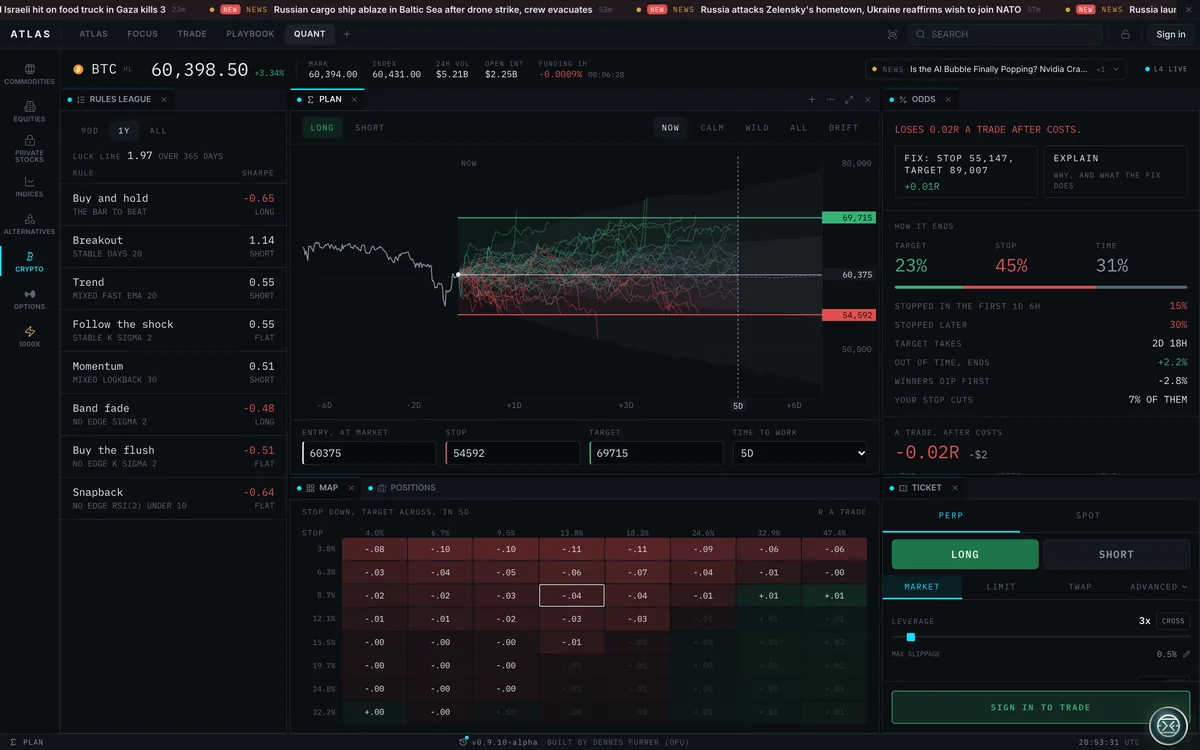
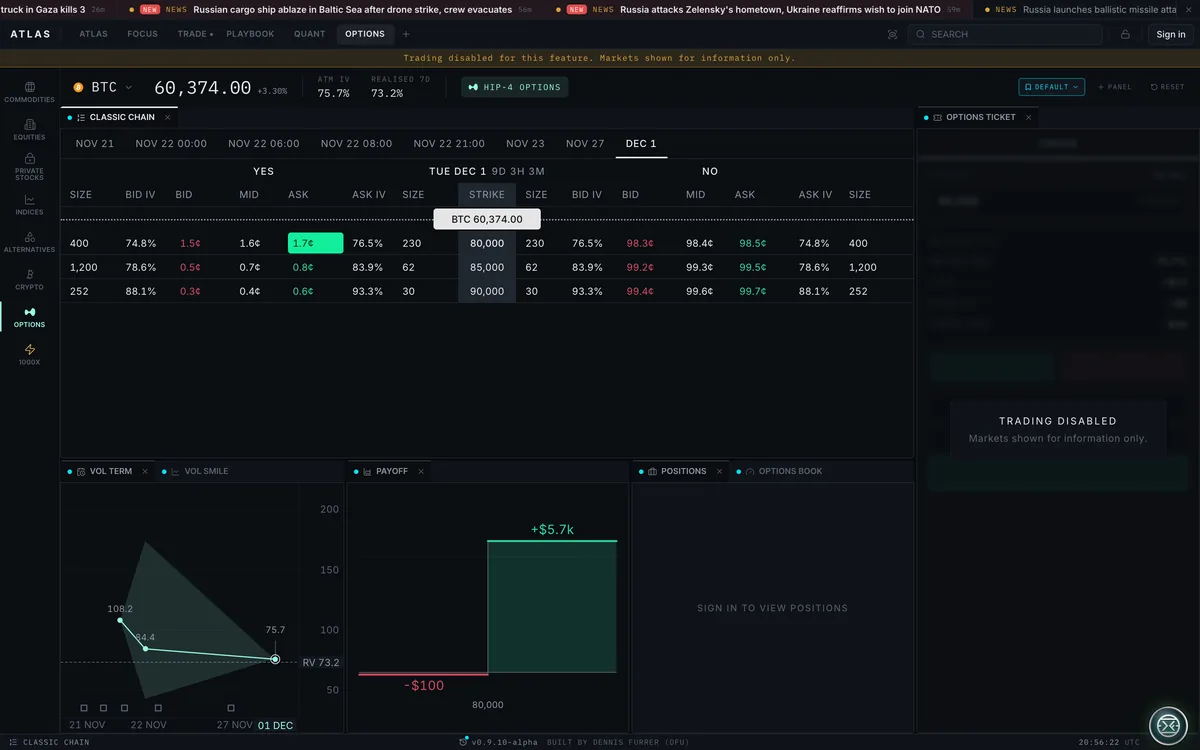
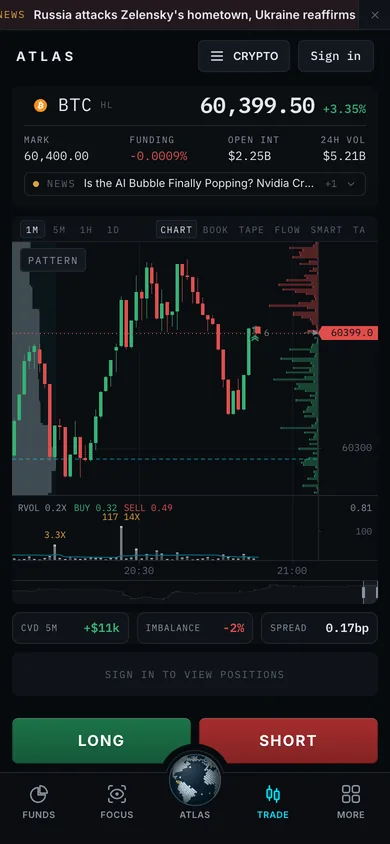
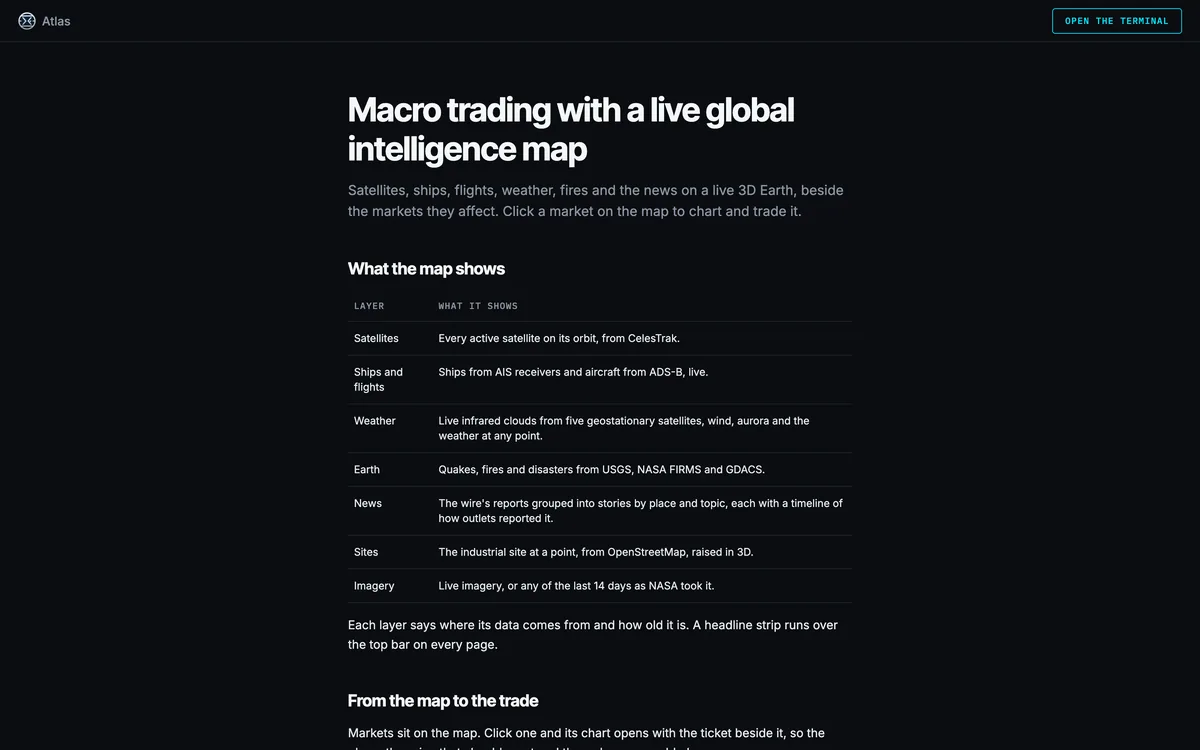
The pages of Atlas as they are now, on a desktop at 1600 by 1000 and on a phone. Use these when writing about the product; each opens the page it shows.
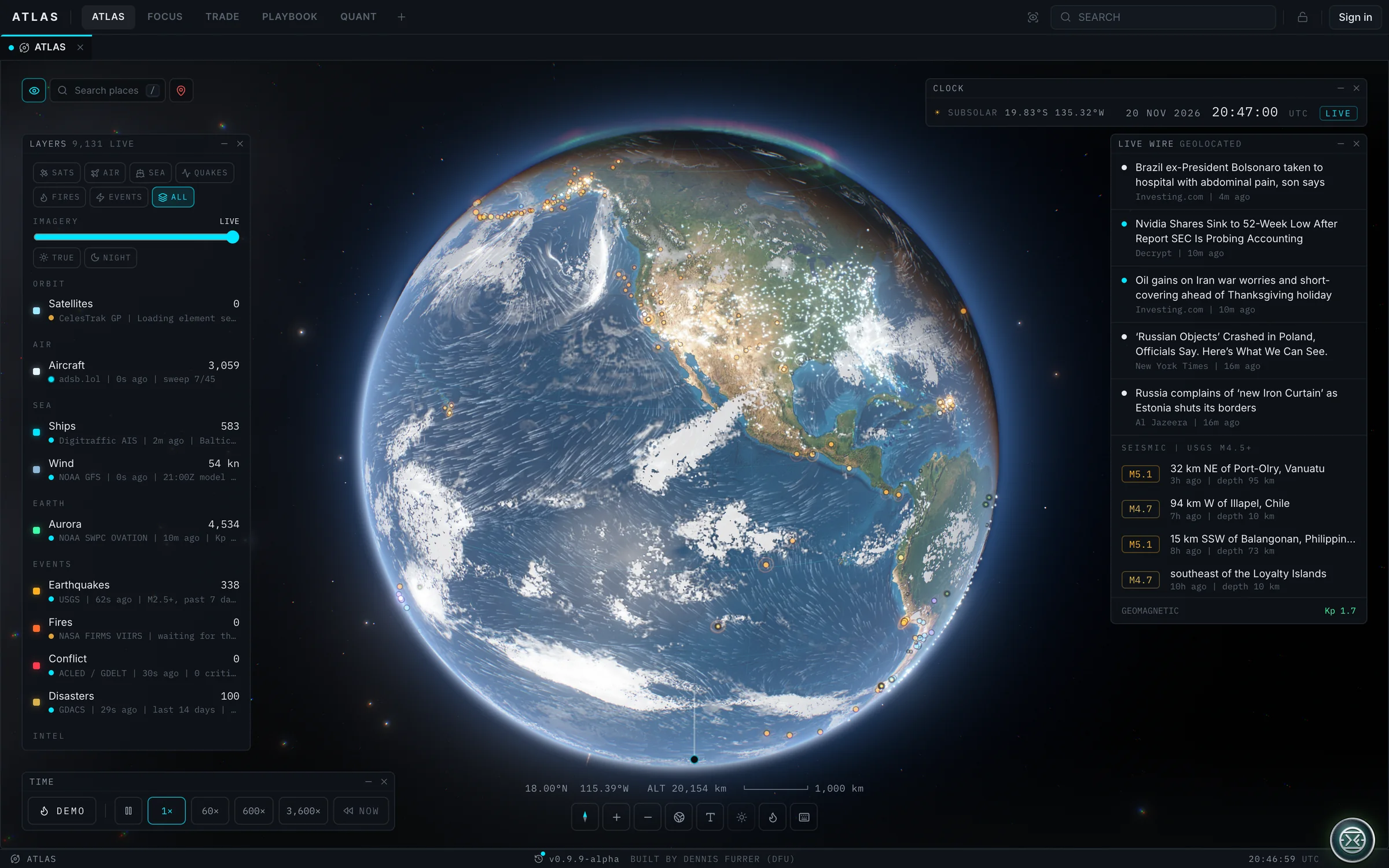
/atlasA live 3D Earth with satellites, ships, flights, weather and the news beside the markets they affect.
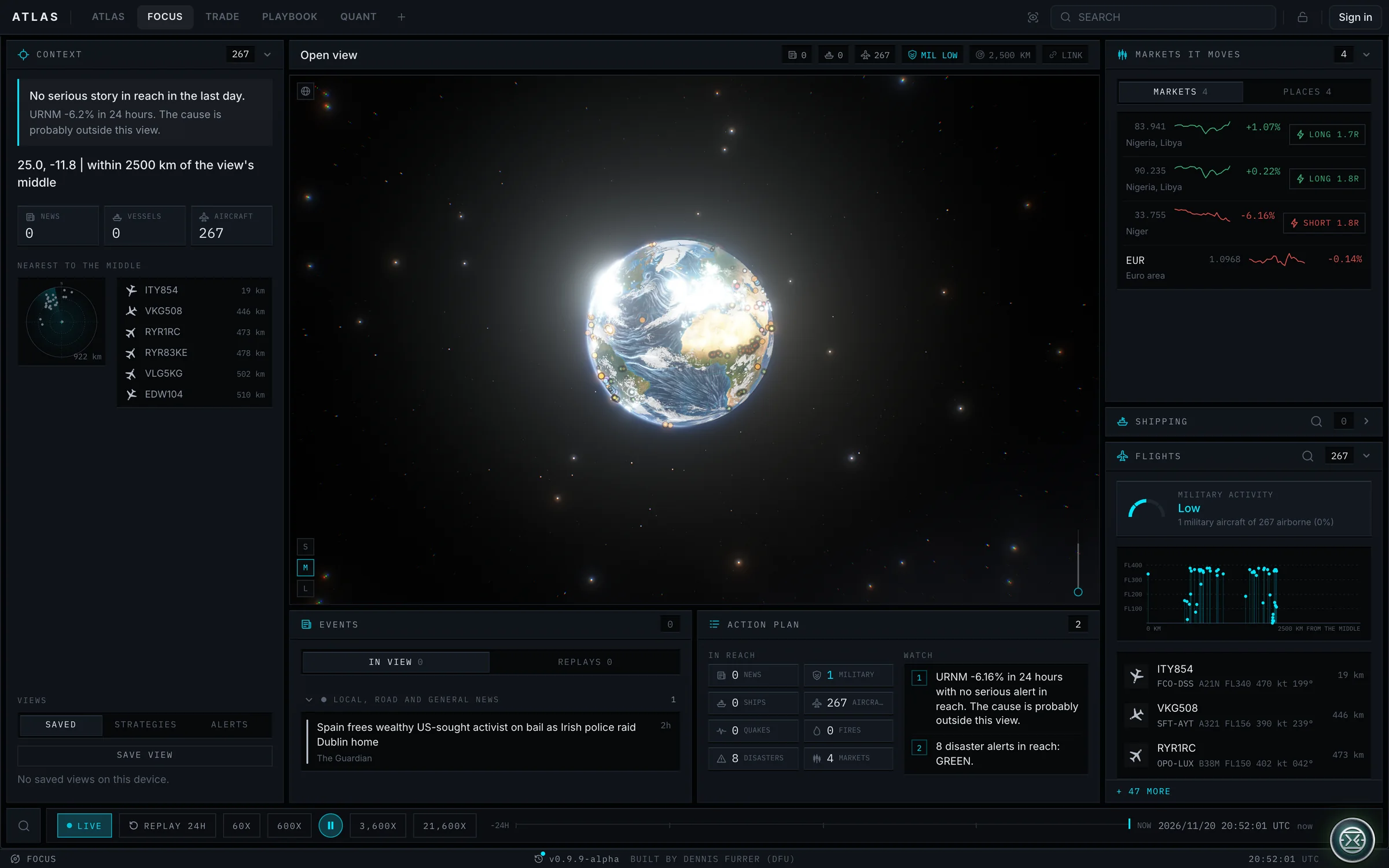
/focusOne place on the globe with the stories, ships, flights and markets around it.
/proThe trading terminal: chart, order book, tape and a ticket that sends the stop and target with the entry.
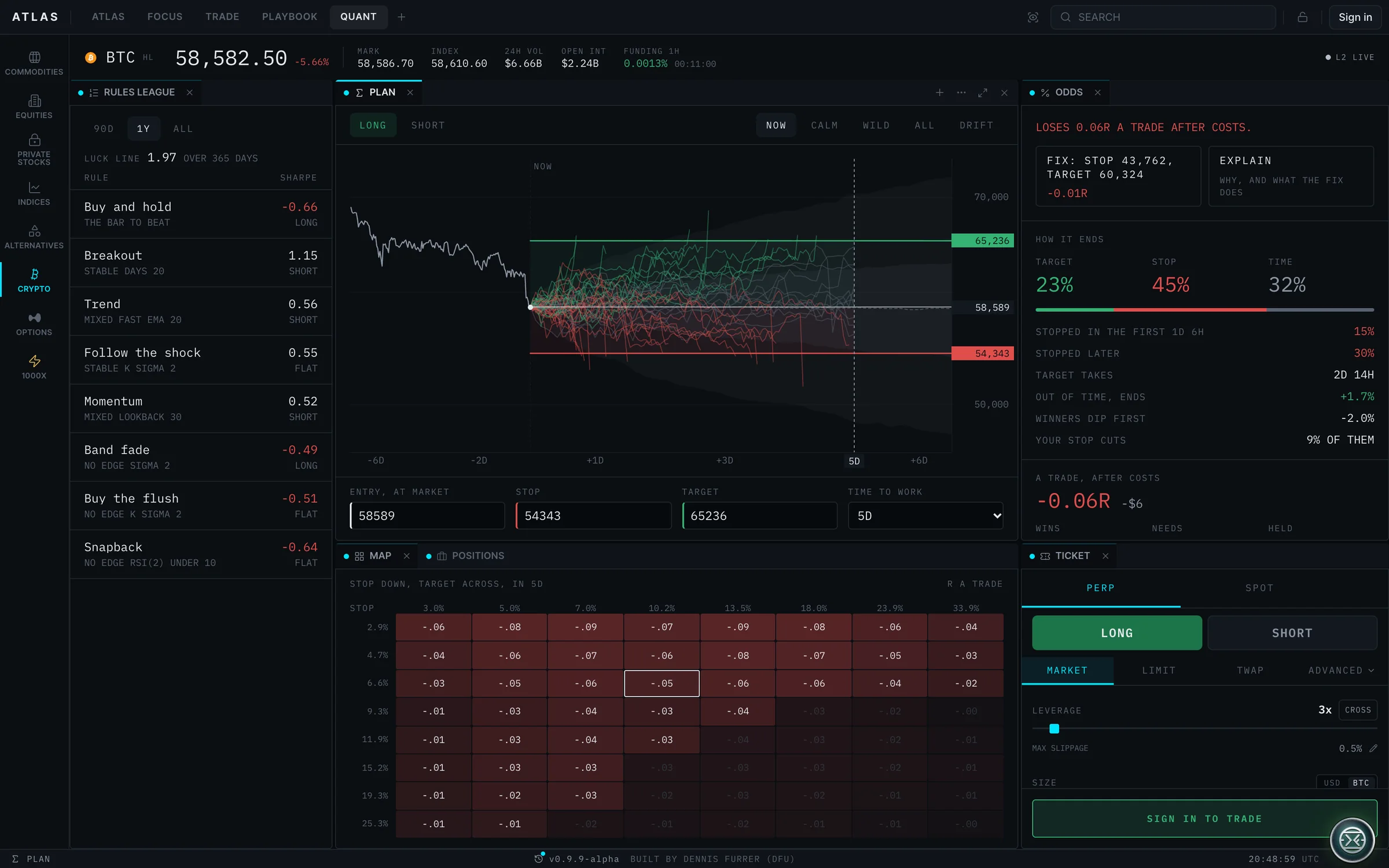
/quantThe odds of a trade before it is taken, from 2,000 paths drawn from the market's own history.
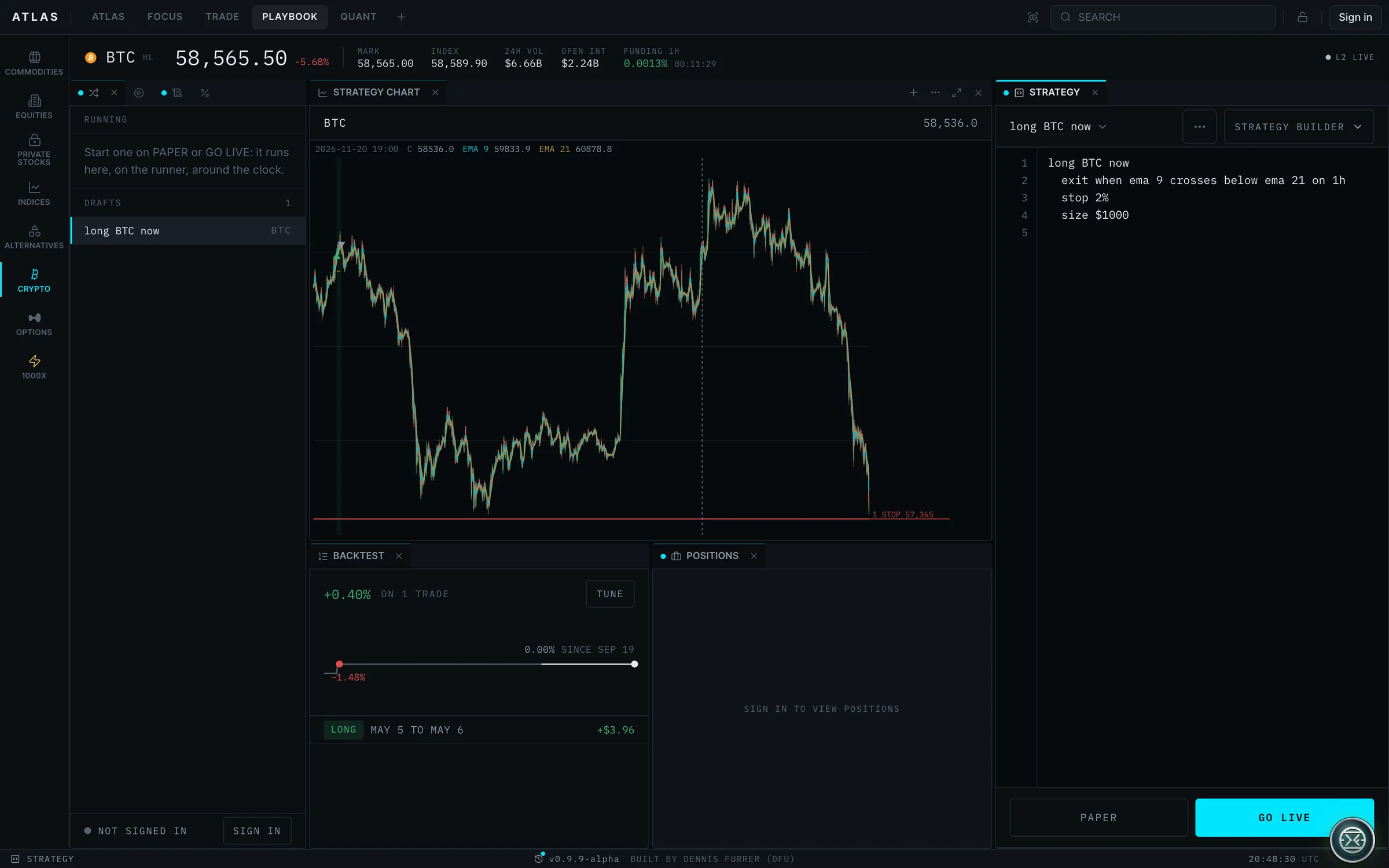
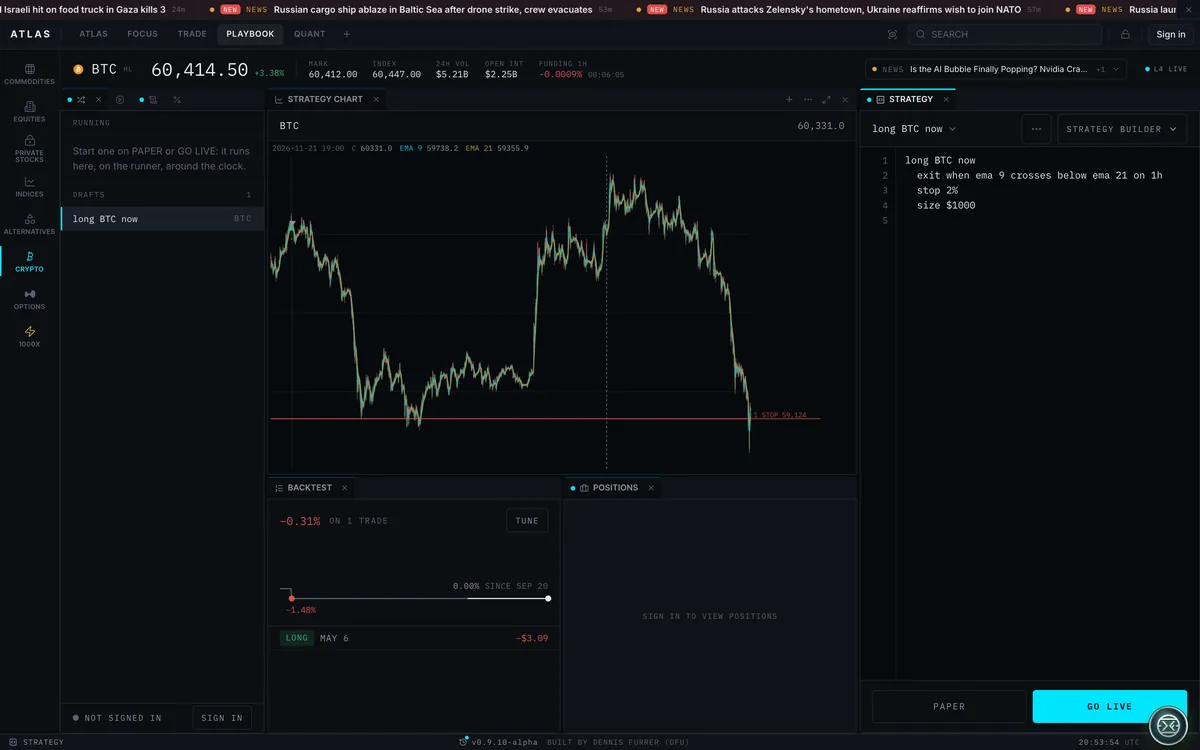
/playbookWrite a strategy in plain text, backtest it, paper trade it, then run it live around the clock.
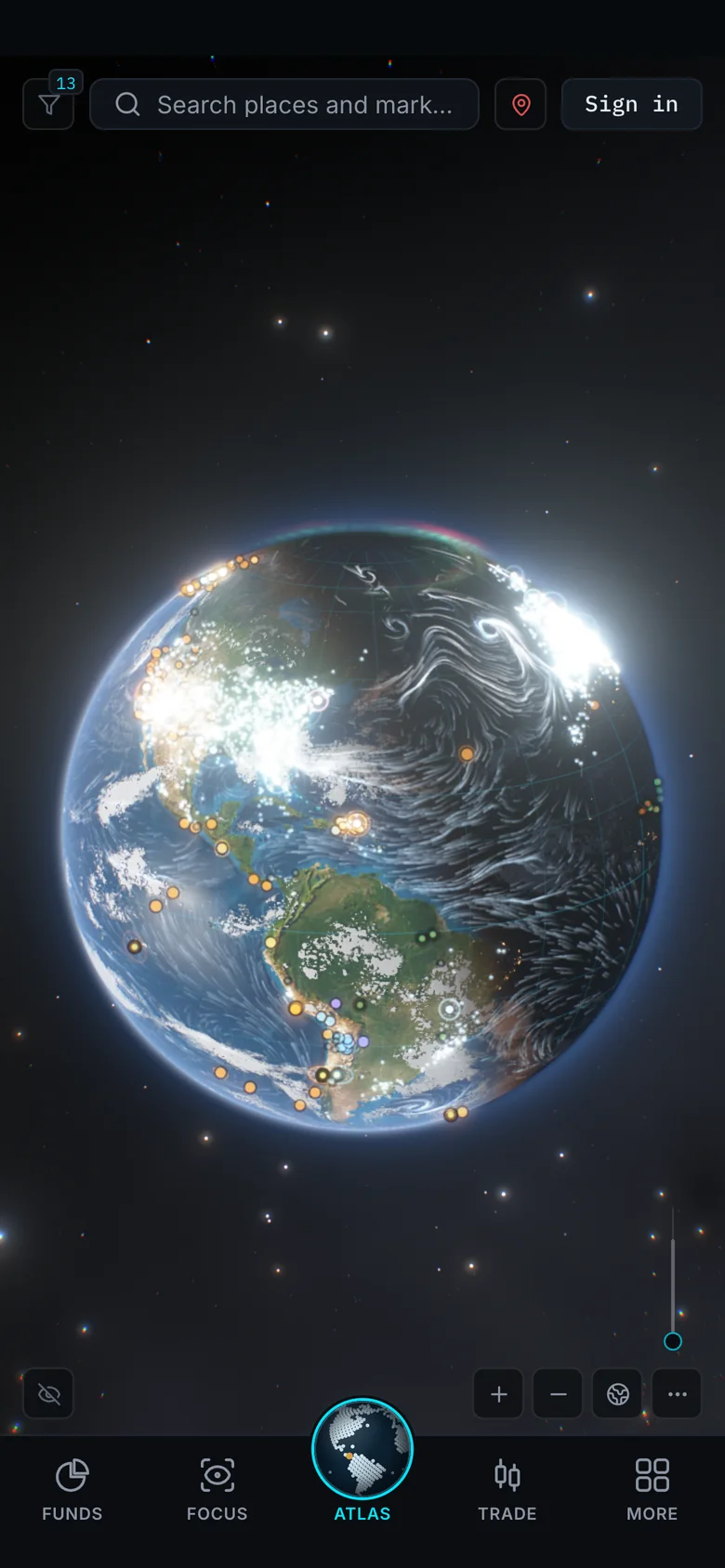
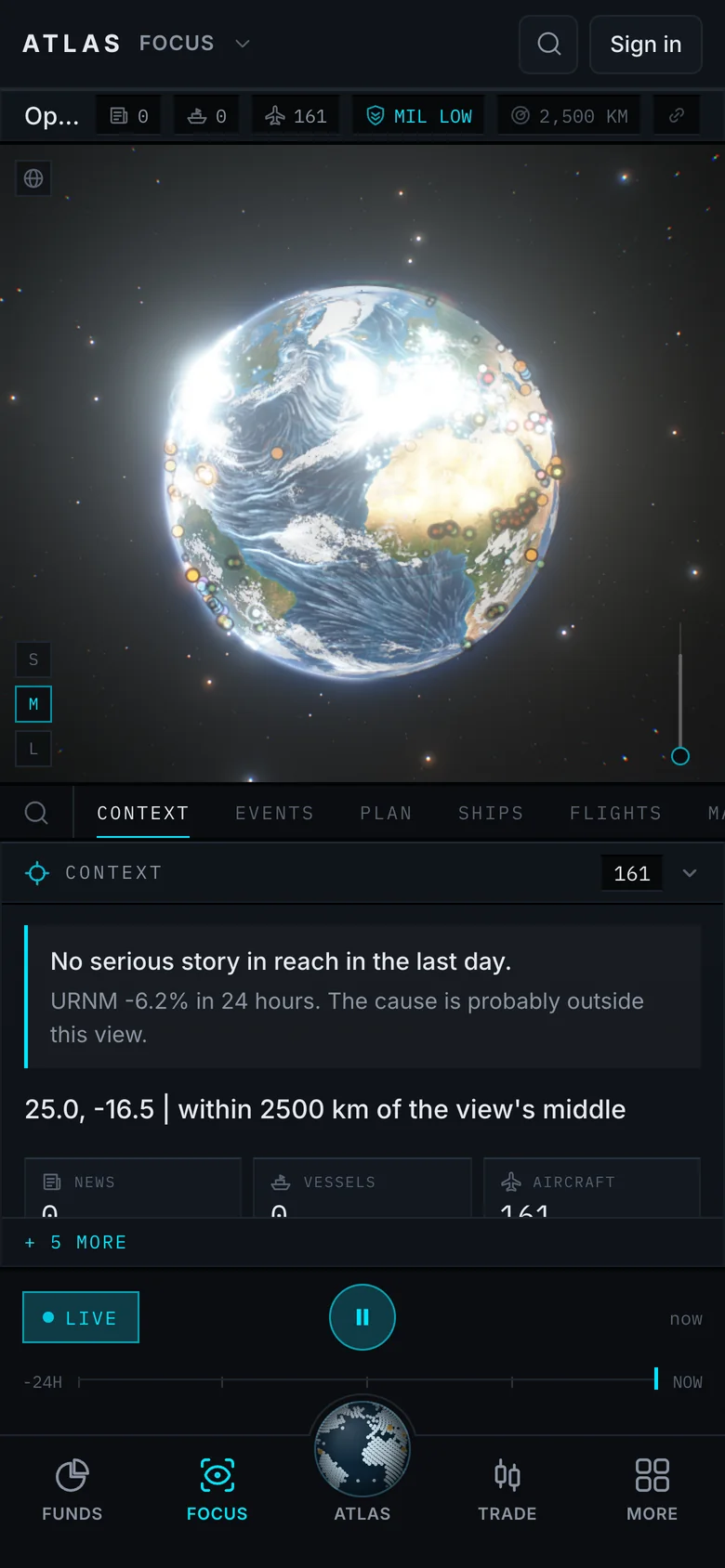
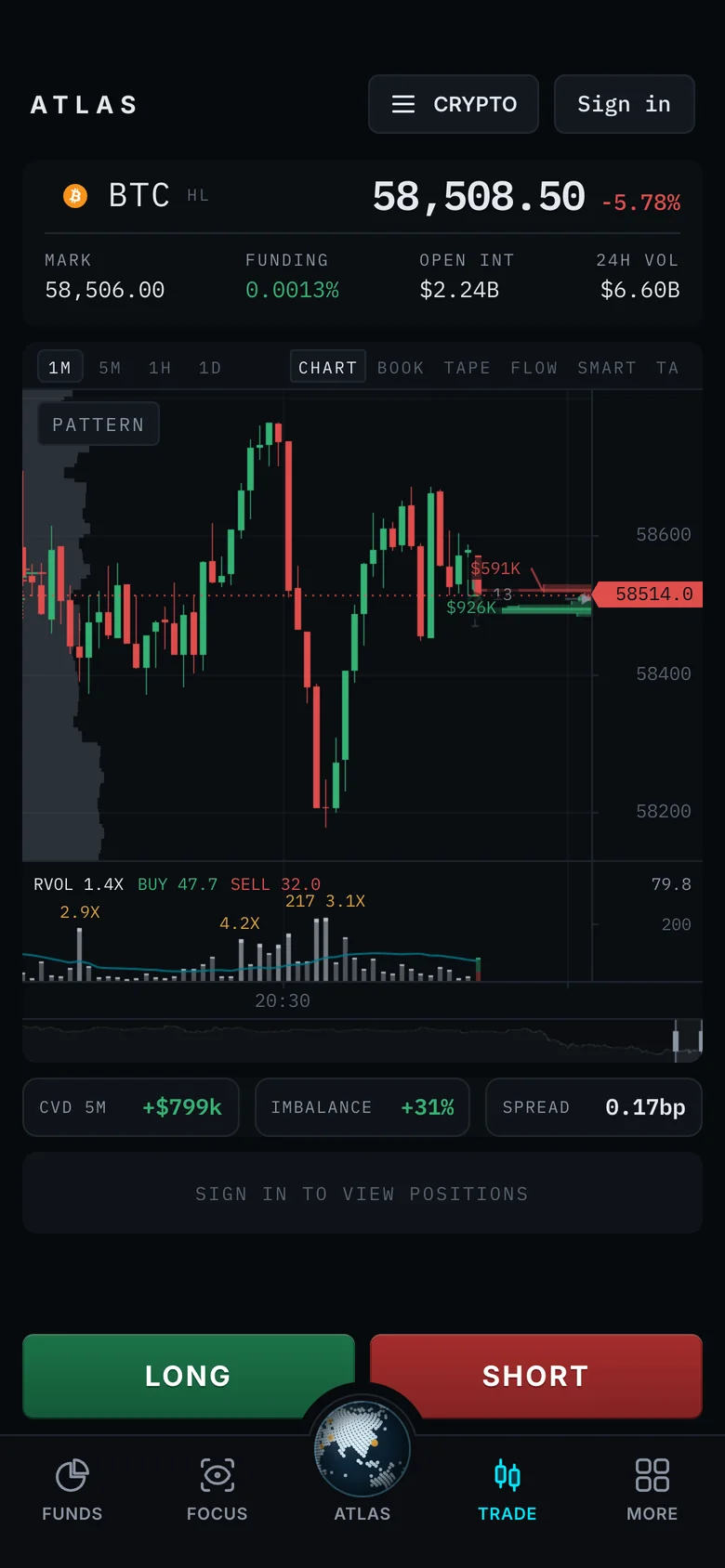
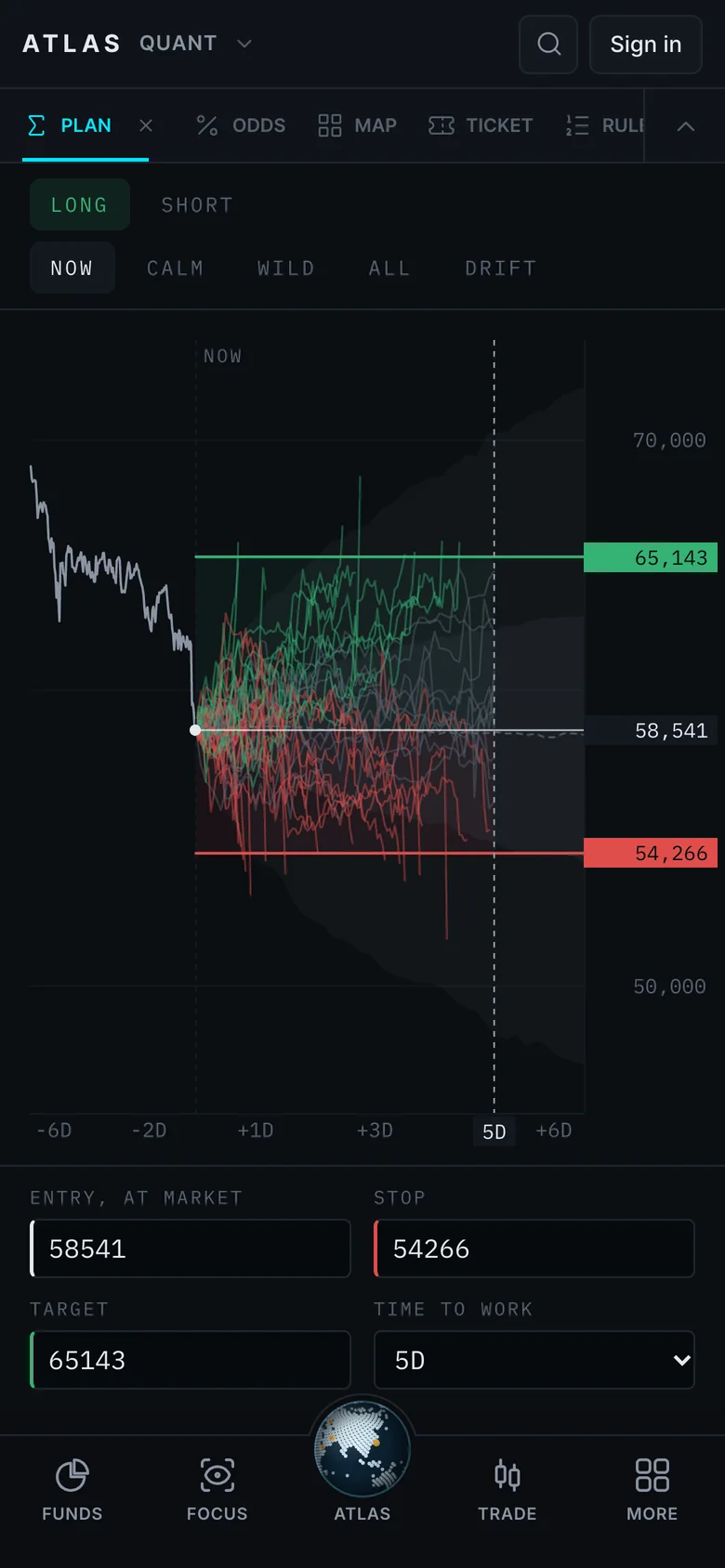
Every page with its accent, its long and short colours, its fonts by share of text, its most used colours and its buttons.